
what students say
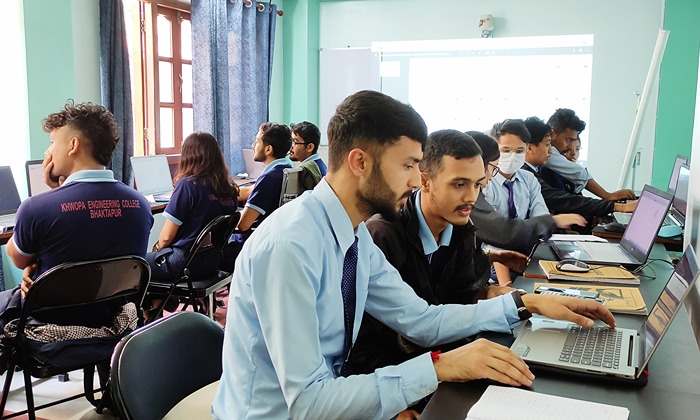
Mobile Application Development with Flutter
Course Description
<p>Flutter is the new Cross-platform Mobile Development Framework created by Google, allowing developers to build Android and iOS Apps with one single codebase! Flutter is the BEST way to create cross-platform apps that otherwise would require two distinct mobile development teams to create. Flutter is a big deal because any developer (or anyone who wants to learn mobile development) can now build native Android and iOS apps with one codebase ONLY!</p>
Curriculum
- Introduction to Mobile Application Development
- History of Mobile Application Development, Understanding Flutter Versions
- Flutter, Flutter UI and Flutter key terms, Understanding the Flutter Architecture
- How Flutter & Dart Code Gets Compiled to Native Apps
- Prerequisites for flutter Development
- Overview of the Process
- Flutter Windows Setup
- Install Flutter SDK
- Install Android Studio
- Install Android Emulator
- Windows Development Environment
- Flutter Mac setup
- Install Flutter SDK
- Install Android Studio / XCode
- Install IOS Emulator
- Mac Development Environment
- Flutter and Material Design
- Flutter Alternatives
- Flutter Framework
- Introduction to Dart with Dartpad editor
- Dart Basics
- Variables and types,
- working with strings,
- initialization vs assignment,
- dart operators
- Dart Type System
- Type inference
- how and when to use var, final, const and dynamic keywords
- Control flow
- if/else statements,
- while and for loops,
- break and continue keywords,
- switch statements,
- enums
- Install Visual Studio Code and the Dart SDK, and learn to build a simple command line app to play rock, paper and scissors
- Collections
- lists,
- sets,
- maps,
- collection-if, collection-for and spread operator
- Data Processing
- Build a useful command line app to process CSV files in Dart, do some number crunching and generate a report
- Null Safety
- nullable & non nullable types,
- flow analysis,
- the assertion, if-null and conditional access operators
- Functions Basics
- declare and use functions,
- named vs positional arguments,
- default values and required arguments,
- the arrow notation,
- the lexical scope,
- inner functions
- Functions Advanced
- anonymous functions and closures,
- passing functions as arguments to other functions,
- function types,
- functional operators such as forEach, map, where and reduce,
- functions with generic arguments
- Classes Basics
- how to create classes,
- regular, named and const constructors,
- initializer lists,
- instance variables and methods,
- getters and setters,
- static class variables and methods,
- how to make things private
- Classes Advanced
- subclassing,
- super constructors,
- overriding methods,
- abstract classes,
- implements vs extends,
- the base Object class,
- equality & hashCode operators,
- toString method,
- generics,
- difference between composition & inheritance,
- factory constructors,
- copying objects with copyWith,
- the cascade operator
- Simple eCommerce
- Use classes & functions to build a simple command line app that implements the business logic for an eCommerce flow:
- add items to a cart,
- view items & checkout
- Mixins and Extensions
- how to use mixins to go beyond single-inheritance (and what are their drawbacks)
- how and when to use extensions to add functionality to existing types)
- Error Handling & Exceptions
- assertions,
- built-in errors and exceptions in the Dart SDK,
- the try, catch, finally, throw and rethrow keywords
- Asynchronous programming
- one-time asynchronous operations with futures,
- async and await,
- multiple asynchronous events with Streams,
- async* and yield,
- common future and stream-based APIs
- Weather App
- basic intro to Rest APIs
- how to create a weather API client with the Dart http package
- how to parse JSON data
- how to add robust error handling and deal gracefully with connection and API errors
- What is Git, Version Control System, GitHub?
- How to install Git and set up a repository?
- Basic Commands: add, commit, push
- Undoing/Reverting/Resetting code changes
- Branches (Create, Merge, Delete)
- What is HEAD?
- Viewing the history of a repository
- gitignore file
- Understanding UI Design
- Data Model in Flutter
- Flutter App Structure
- Introduction to Widgets
- Build method
- Stateful vs Stateless Widgets
- Some Important Widgets
- Layout widgets
- Handling gestures
- Building complex UI
- Navigation & Routing
- Consuming REST API’s
- Working with JSON
- JSON to models
- Displaying data from API
- Future & async await
- Using third party packages
- Using Assets
- Reading & Writing Files
- Shared Preferences
- SQLite (Creating databases, issuing queries)
- Firebase (Firestore & Realtime databases)
- Creating Login screen
- User Input & Keyboard
- Retrieving Form values
- Form validation
- Global Keys
- Form submission
- Mixins and Validations
- Animation basics
- Implicit & explicit animation
- Common animation widgets
- Animation Controller
- Tween animation
- Hero Effect
- Animated Builder
- Parallel animation
- Introduction to Streams
- Working with streams
- Handling stream data
- Working with RxDart
- Broadcast streams
- Observable, PublishSubject, BehaviourSubject & ReplaySubject
- Implementing BLOC with Streams
- Introduction & Why state management
- State management approaches (Provider / Riverpod / BLOC)
- State management with Riverpod
- Implementing a project in Riverpod
- Provider & ScopedModel
- State management with BLOC
- Implementing a project in BLOC
- Types of tests
- Unit testing
- Integration Testing
- Mocking HTTP requests
- Creating custom components
- Creating basic packages
- Creating release builds
- Code Obfuscation
- Signing apps
- Performance and other optimization
- Creating developer accounts on App Store and play store
- Publishing apps on play store
- Publishing apps on app store
- Quiz App
- Personal Expense App
- Meals App
- Shop App
- Great Places App (Camera, Maps, Location)
- Chat App