

Course Type :
paid
Duration :
50 hrs
Category
Web Application Development
Similar Courses



what students say

Kabita Thuyaju
-Student
It was informative and helpful.
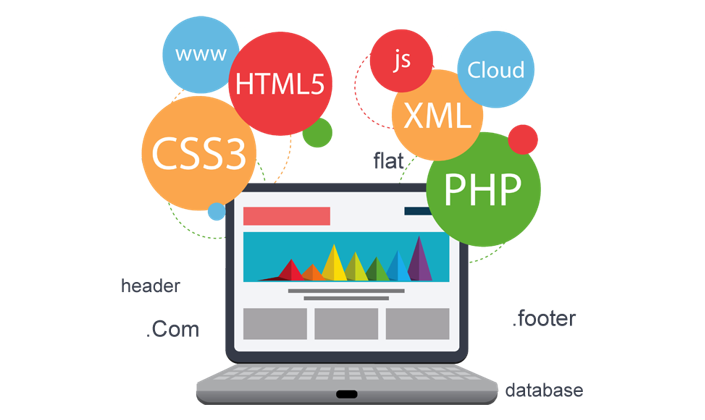
Front End Web Development
Course Description
<p>Welcome to our front-end web developer learning pathway!</p> <p>Here we provide you with a structured course that will teach you all you need to know to become a front-end web developer. Work through each section, learning new skills (or improving existing ones) as you go along. Each section includes exercises and assessments to test your understanding before you move forward.</p>
Curriculum
- HTML Introduction
- HTML Elements
- HTML Attributes
- HTML Headings
- HTML Text Formatting
- HTML Comments
- HTML Lists
- HTML Tables
- HTML Forms
- HTML Images
- HTML Anchor
- CSS Syntax
- Inline CSS
- Internal CSS
- External CSS
- CSS Selector
- CSS Comments
- CSS Color
- CSS Background
- CSS Border
- CSS Margin
- CSS Padding
- CSS Float
- CSS Clear
- CSS Display
- CSS Font
- CSS Line Height
- CSS Overflow
- CSS Opacity
- CSS Position
- CSS Pseudo Class & Element
- CSS Vertical Align
- CSS White Space
- CSS Visibility
- CSS Counter
- CSS Flexbox(flex-direction, flex-wrap, flex-flow, justify-content, align-items, align-content, order, flex-grow, flex-shrink, flex-basis, flex, align-self)
- CSS3 Rounded Corner
- CSS3 Border Images
- CSS3 Multi Background
- CSS3 Color
- CSS3 Gradients
- CSS3 Shadow
- CSS3 Text
- CSS3 Web font
- CSS3 2d transform
- CSS3 3d transform
- CSS3 Animation
- CSS3 Multi columns
- CSS3 User Interface
- CSS3 Box Sizing
- CSS Variables
- CSS3 Image Reflection
- CSS3 object-fit
- CSS3 Viewport
- CSS3 Media Queries Responsive
- Preprocessing
- Variables
- Nesting
- Partials
- Import
- Mixins
- Inheritance
- Operators
- Containers
- Reboot
- Typography
- Code
- Images
- Tables
- Figures
- Alerts
- Badge
- Breadcrumb
- Buttons
- Button group
- Card
- Carousel
- Collapse
- Dropdowns
- Forms
- Input group
- Jumbotron
- List group
- Modal
- Navs
- Navbar
- Pagination
- Popovers
- Progress
- Scrollspy
- Tooltips
- Utilities
- Utilities
- Borders
- Clearfix
- Close icon
- Display
- Embed
- Flex
- Float
- Image replacement
- Position
- Screenreaders
- Shadows
- Sizing
- Spacing
- Text
- Vertical align
- Visibility
- Intro and Uses
- JS Statements
- JS Syntax
- JS Comments
- Variables and Constant
- Data Types
- Operators
- if...else...elseif Statements
- While
- do while
- for
- Functions
- Array and Objects
- Document Object Model
- jQuery Syntax
- jQuery Selectors
- jQuery Events
- jQuery Effects
- jQuery Hide/Show
- jQuery Fade
- jQuery Slide
- jQuery Add
- jQuery Remove
- jQuery CSS Classes
- jQuery Animate
- jQuery stop ()
- jQuery Callback
- jQuery Chaining
- Intro and Install
- Syntax
- Comments
- Variables
- Data Types
- Echo / Print
- Strings and Numbers
- Operators
- PHP JSON
- if...else...elseif Statements
- PHP Loops
- While,
- do while,
- for,
- foreach
- Functions
- Arrays
- Indexed Arrays
- Associative Arrays
- Multidimensional Arrays
- foreach


Similar Courses
what students say
Kabita Thuyaju
-Student
It was informative and helpful.